One Tech Tip: Don’t use rice for your device. Here’s how to dry out your smartphone
Advertisement
Read this article for free:
or
Already have an account? Log in here »
To continue reading, please subscribe:

Digital Subscription
One year of digital access for only $205*
- Enjoy unlimited reading on winnipegfreepress.com
- Read the E-Edition, our digital replica newspaper
- Access News Break, our award-winning app
- Play interactive puzzles
*First annual payment billed as $205.00 + GST for one year. This annual subscription will automatically renew at $233.00 + GST every 52 weeks (10% off the regular annual price of $259.35). Offer available to new and qualified returning subscribers only. Cancel any time.
To continue reading, please subscribe:
Add Free Press access to your Brandon Sun subscription for only an additional
$1 for the first 4 weeks*
- Enjoy unlimited reading on winnipegfreepress.com
- Read the E-Edition, our digital replica newspaper
- Access News Break, our award-winning app
- Play interactive puzzles
*Your next Brandon Sun subscription payment will increase by $1.00 and you will be charged $17.95 plus GST for four weeks. After four weeks, your payment will increase to $24.95 plus GST every four weeks.
Read unlimited articles for free today:
or
Already have an account? Log in here »
Hey there, time traveller!
This article was published 29/02/2024 (909 days ago), so information in it may no longer be current.
LONDON (AP) — You were walking next to a swimming pool when you slipped and dropped your phone into the water. Or it slipped out of your hand when you were next to a filled bathtub or toilet.
However your smartphone got wet, you now need to dry it. But what do you do? There’s lots of advice on the internet, some of it conflicting. Apple inserted itself into the debate recently when it put out an advisory that included a warning against using rice.
Here are some things to keep in mind next time your phone has an unintended encounter with a liquid.
What you should do
Dry off the exterior with a towel or clean cloth, even your shirtsleeve — anything that’s absorbent. Take out the SIM card and holder. If possible, remove the back housing and battery to wipe them dry. Also, if possible, turn the phone off.
iPhones can’t be disassembled so Apple recommends tapping it gently against your hand with the connector ports facing down so liquid can flow out.
Samsung, which is the biggest maker of Android phones, recommends using a cotton bud to get moisture out of the earphone jack and charging port. In contrast, Apple says cotton buds shouldn’t be inserted into iPhone openings.
If it’s not water but another liquid — a drink, seawater or chlorinated pool water — Samsung advises soaking the phone in clean water for a few minutes then rinsing it to get rid of any impurities or salinity that could speed up corrosion of the circuitry inside.
Both companies say it’s best to leave the phone out in a well ventilated area (perhaps with a fan) to dry it out. Google says leave the device to dry at room temperature.
What you shouldn’t do
Don’t use a hair dryer or compressed air on your phone. Don’t put it in a freezer – this might stop your device from short-circuiting but the problem will be back once you try to thaw it. And while this might seem obvious, don’t put your device in a tumble dryer or on top of a radiator.
Don’t power it up or try to charge it with a cable — although wireless charging is OK if your phone has it and you really need to turn it on in an emergency.
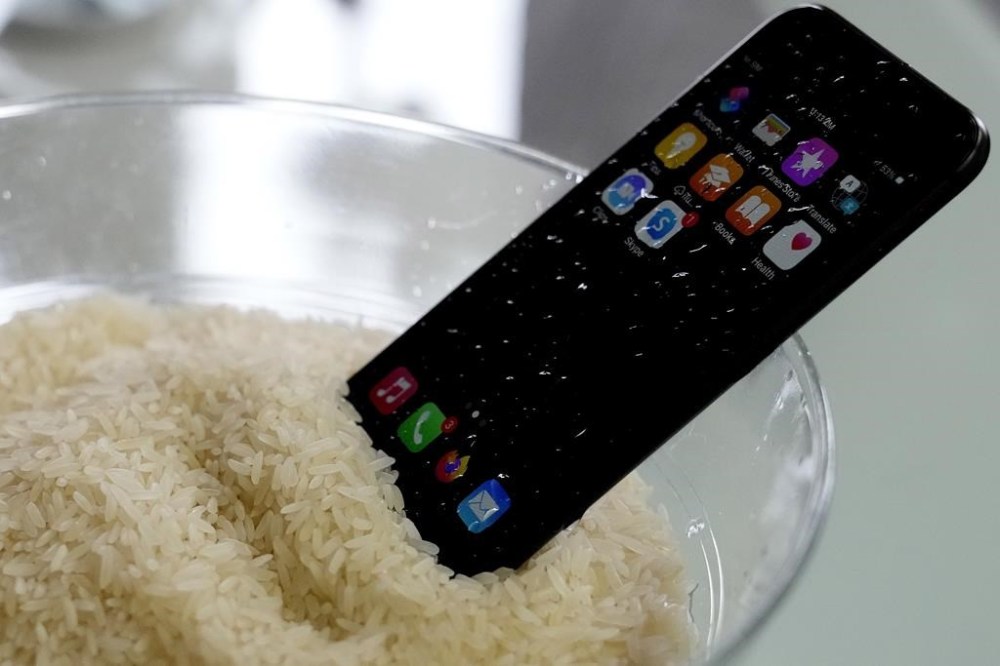
So what about using rice to dry your device? You may have heard that putting a phone in a bowl of rice will help draw out moisture. It’s been a tip that’s been out there for years.
Apple, however, says that’s a no-no. The company warned against it in an advisory published in early January. It drew little attention at the time, but then people noticed the line that said: “Don’t put your iPhone in a bag of rice. Doing so could allow small particles of rice to damage your iPhone.”
Is there anything I can use besides rice?
The best option is silica gel, a drying agent that can absorb lots of moisture. Silica gel beads are typically found in packets that are included with products like beef jerky, seaweed sheets or sneakers to keep them dry. You can also buy them in bulk online. This works best if you put them in an airtight box with your phone.
When do I know it’s dry?
It’s hard to tell but it’s best to wait as long as possible — at least a few days. Samsung advises bringing your device into a service center for inspection even after it’s been air-dried.
Aren’t phones waterproof nowadays?

Most phones nowadays are designed to be water-resistant, which means they can resist water entering critical areas for a certain amount of time. But beware, this isn’t the same as being waterproof.
Apple says the iPhone 7 and and newer models are splash and water resistant. iPhone XS devices and up have the IP68 rating, which means they can be submerged for as long as 30 minutes and, depending on the model, as deep as 6 meters (20 feet). These models also pop up a warning if there’s liquid detected in key ports, and warn against charging. Samsung says most of its Galaxy Android phones feature the same rating, though the maximum depth is about 5 meters (16 feet).
Google’s newer Pixel phones carry the same water resistance ratings, but Google warns that they aren’t waterproof and the water resistance will diminish over time because of “normal wear and tear, device repair, disassembly or damage.”
___
Is there a tech challenge you need help figuring out? Write to us at onetechtip@ap.org with your questions.